INSTAGRAM TRANSCRIPT · FILE SIZE
Can a large Instagram video still be transcribed?
Yes. A large saved video can still work because TranscribeReels checks the audio it prepares in the browser, not the original video file size. The prepared audio must be 20 MiB or smaller. That is why a video larger than 20 MiB may pass, while a long audio file may or may not pass after preparation.
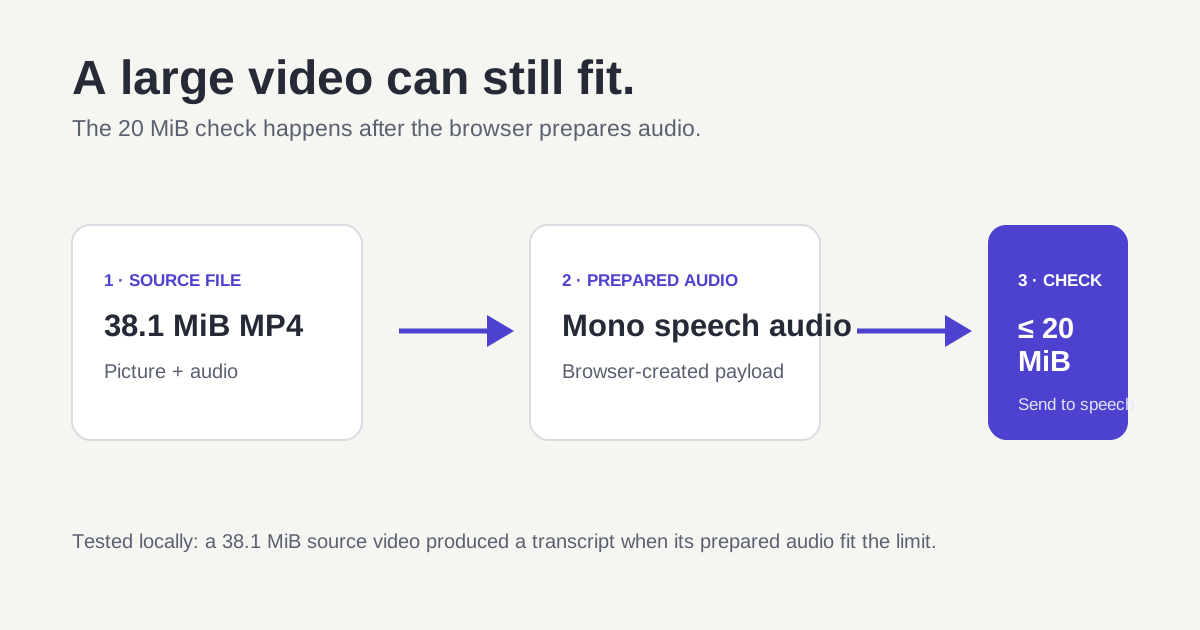
The upload decision is made after the browser prepares audio for speech recognition.
Two local-file tests
These are direct production tests run in a desktop browser on October 20, 2026. They are examples of the current processing path, not a promise that every codec or browser will produce the same prepared size.
| Source file | What happened | What it shows |
|---|---|---|
| MP4 video, 38.1 MiB | The browser prepared its audio and returned a 2-minute transcript. | A source video can be over 20 MiB when the prepared audio fits. |
| WAV audio, 22.0 MiB | The browser prepared the audio and returned a 4-minute transcript. | Source size alone does not determine the outcome; the prepared mono audio fit the processing cap. |
Why video size is a poor predictor
Video files can be large because of resolution, frame rate, length, and video codec settings. None of those visual details help a speech model understand dialogue. The browser separates or decodes the audio, converts it to the format used by the tool, and then checks the resulting payload.
That means a high-resolution clip with a small audio track may work. It also means two files with similar source sizes can behave differently if one contains long uncompressed audio or a higher sample rate.
What to do when a file is too large
- Keep the original file. Make a short authorized copy for testing rather than repeatedly exporting over it.
- Choose a section with one complete spoken thought. A 20–60 second excerpt is a good diagnostic.
- Play the exact copy once. Confirm it contains audible dialogue rather than music, silence, or visual-only captions.
- Upload the copy to the Instagram transcript tool. If it works, split a longer recording into logical spoken sections.
Do not use a lower size to hide an audio problem
A smaller file cannot add speech that is not present. If the clip is music-only, silent, has no audio track, or contains only a few words, the correct result is a clear diagnostic message instead of a made-up transcript. Check the audio first, then reduce duration only when size is the real issue.
Quick answers
Is there a 20 MiB limit on Instagram videos?
There is no source-video size cap in this tool. The 20 MiB limit applies to audio prepared by the browser for transcription.
Will every video over 20 MiB work?
No. It depends on the prepared audio size and whether the browser can decode the file's audio codec.
Does the transcript read visible text in a Reel?
No. Speech transcription listens to the audio track. It does not read title cards, stickers, usernames, or captions shown as pixels in the frame.