INSTAGRAM TRANSCRIPT · TROUBLESHOOTING
Why is my Instagram transcript empty?
An empty result usually means the uploaded file has no usable speech for the recognizer. Before retrying, confirm four things: the file actually contains an audio track, the speech is audible above music or noise, the clip is long enough to contain a phrase, and the extracted audio stays within the 20 MiB processing limit.
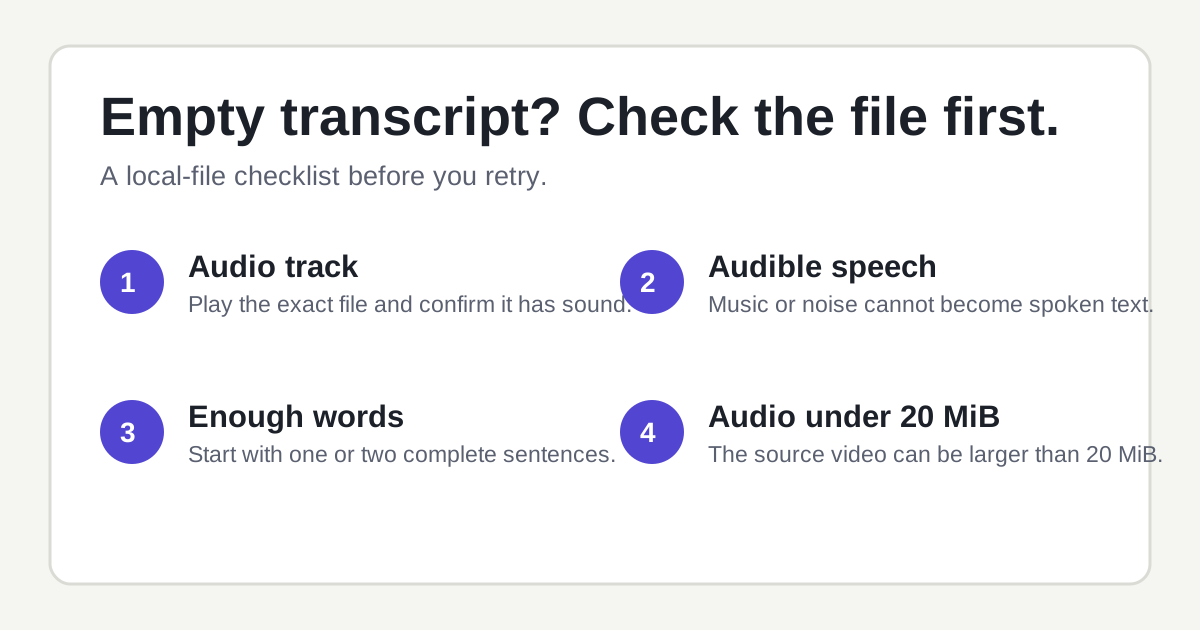
A pre-upload checklist for local files. The source video itself can exceed 20 MiB; the limit applies after the browser prepares its audio.
1. Check that the file has an audio track
A video can play normally while containing no audio stream at all. This often happens when a clip was exported without sound, trimmed in an editor, or downloaded in a muted variant. Open the same saved file in a media player and turn the device volume up. If it is silent there, choose a version that includes sound before uploading.
A waveform in an editor is useful evidence, but listening is the more practical test. If the file is a screen recording, also make sure the recording captured media audio rather than only microphone audio.
2. Separate speech from music, silence, and background sound
Speech-to-text can only return words it can recognize. A music-only clip, a silent segment, heavy wind, crowd noise, or a voice buried under a soundtrack can lead to an empty or very short transcript. This is not the same as missing captions: captions are text on screen, while transcription works from spoken audio.
For a quick diagnostic, export a 20–60 second section where one person speaks clearly. Use that short file first. It removes long intros, music beds, and sections with no dialogue from the test.
3. Use a clip with enough continuous words
A file with one brief word may not provide enough context for a useful result, especially when it is surrounded by music or ambient sound. Start with a clip that has one or two complete spoken sentences. When the short test works, try the full recording.
This is also a good way to check names, numbers, and product terms. Generated text should be reviewed against the audio before you quote it, publish it, or turn it into subtitles.
4. Check the audio that will be processed, not only the video file
TranscribeReels prepares the audio track in the browser. The original video file has no size cap, but the extracted audio payload must be 20 MiB or smaller. A large MP4 can still work when its audio track is small. A long uncompressed WAV can exceed the limit even when it looks like a simple audio file.
If the tool reports that the extracted audio is too large, test a shorter authorized excerpt first. You can also export a lower-bitrate copy of audio you have permission to process. Do not use a smaller file merely to hide missing speech; make sure it contains audible dialogue too.
A five-minute local-file test
- Make a 20–60 second copy containing a complete spoken sentence.
- Play that exact copy locally and confirm that the voice is audible.
- Upload it to the Instagram transcript tool.
- Read the returned text while replaying the source once. Correct proper names, numbers, and short phrases.
- If this test works, use the same process for the longer file. If it does not, try a cleaner spoken section rather than repeatedly submitting the same silent or music-only clip.
What the tool cannot recover
A speech transcript cannot reconstruct speech that is absent from the audio track. It also does not read text printed inside the video frame, such as title cards, stickers, usernames, or visual captions. If the information exists only on screen, write it down separately instead of expecting an audio transcript to capture it.
Quick answers
My Instagram video has visible captions. Why is the transcript still empty?
Visible captions are pixels in the picture. The transcriber listens to the audio track. If the file is silent or the voice is not usable, text shown on screen will not fill the transcript.
Can a video larger than 20 MiB still work?
Yes. The limit is for audio prepared by the browser, not the original source video. A large video with a small audio track can fit.
What should I upload for the first test?
Use an authorized 20–60 second file with one clear speaker and little background music. MP3, WAV, M4A, AAC, OGG, FLAC, MP4, MOV, and WebM are accepted extensions; browser decoding can still vary by codec.